Health
The Health tab answers one question: what in this cluster needs attention? It reads the overview that the dashboard already caches, so it adds no NATS traffic. It uses the same rules as the consumer scan, peer check and stream report commands.
Open the Health tab in the demo.
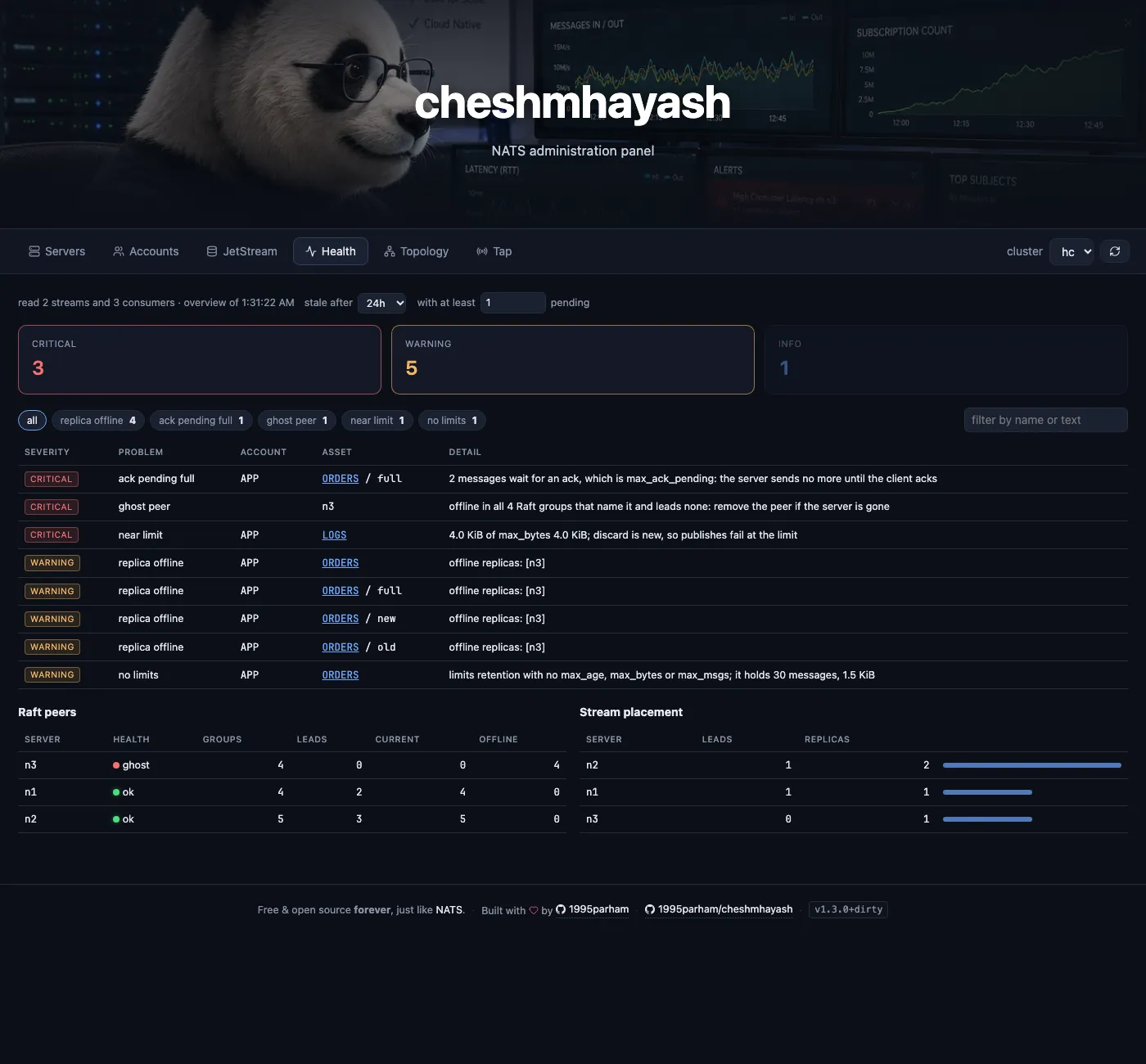
Findings
Section titled “Findings”| Severity | Finding | Why it matters |
|---|---|---|
| critical | ack pending full | A consumer reached max_ack_pending. The server delivers nothing more until the client acks. |
| critical | near limit, discard new | A stream is above 90% of max_bytes or max_msgs with discard: new. Publishes fail at the limit. |
| critical | no leader | A stream or consumer Raft group has no leader. Reads and writes stop. |
| critical | ghost peer | A server is offline in every Raft group that names it and leads none: a removed server that was never peer-removed. |
| warning | stale consumer | Messages wait and nobody acked for longer than “stale after” (24 hours by default). |
| warning | no limits | A limits stream with no max_age, max_bytes or max_msgs. It grows until the disk is full. |
| warning | replica offline | A replica of a group is offline. The group keeps quorum while most replicas run. |
| warning | replica lagging | A replica is online but behind the leader. |
| warning | lagging peer | A server that Raft groups name but that is current in none of them. |
| info | one replica | A stream with one replica. It is unavailable while its server is down. |
| info | near limit, discard old | A stream near a limit with discard: old. Old messages go first, which may be what you want. |
A consumer that was never acked is not stale while it is younger than “stale after”, so a new consumer does not show up at once.
Using the tab
Section titled “Using the tab”- Click a severity card to show or hide that severity. Critical and warning are on at first.
- Click a kind chip to show one kind. Hover a chip for an explanation.
- Type in the search box to filter by account, stream, consumer, peer or text.
- Change stale after and with at least N pending to tune the stale-consumer rule.
- Click a stream name to open the stream detail.
Two hints come with stale consumers:
- renamed to: another consumer on the same stream filters the same subject and is active. The stale one is likely the old name of a rename.
- managed: NACK, Terraform or a GitOps pipeline owns the consumer. cheshmhayash never deletes it. See protect rules.
Below the findings are two tables: each Raft peer’s standing (OK, LAGGING or GHOST, with groups, leads, current and offline counts), and the stream placement per server, so you can see skew.
Cleanup
Section titled “Cleanup”The Health tab only shows findings. To remove stale consumers, use consumer scan and consumer apply, or the bot.
The same report is available as GET /api/jsm/clusters/{c}/health?min_idle=24h&min_pending=1 and as the MCP tool jetstream_health.